
Choose your PC gaming tools with Momento
Choose a Windows 11 gaming toolbox for your needs: crosshairs, gameplay clips, editing, screenshots, notes and sensitivity conversion in Momento.
Momento · Windows 11
Design a reticle in Crosshair Studio and save profiles for different games. Whether the overlay appears depends on the game and display mode.
Windows 11 · Account and purchase in the app
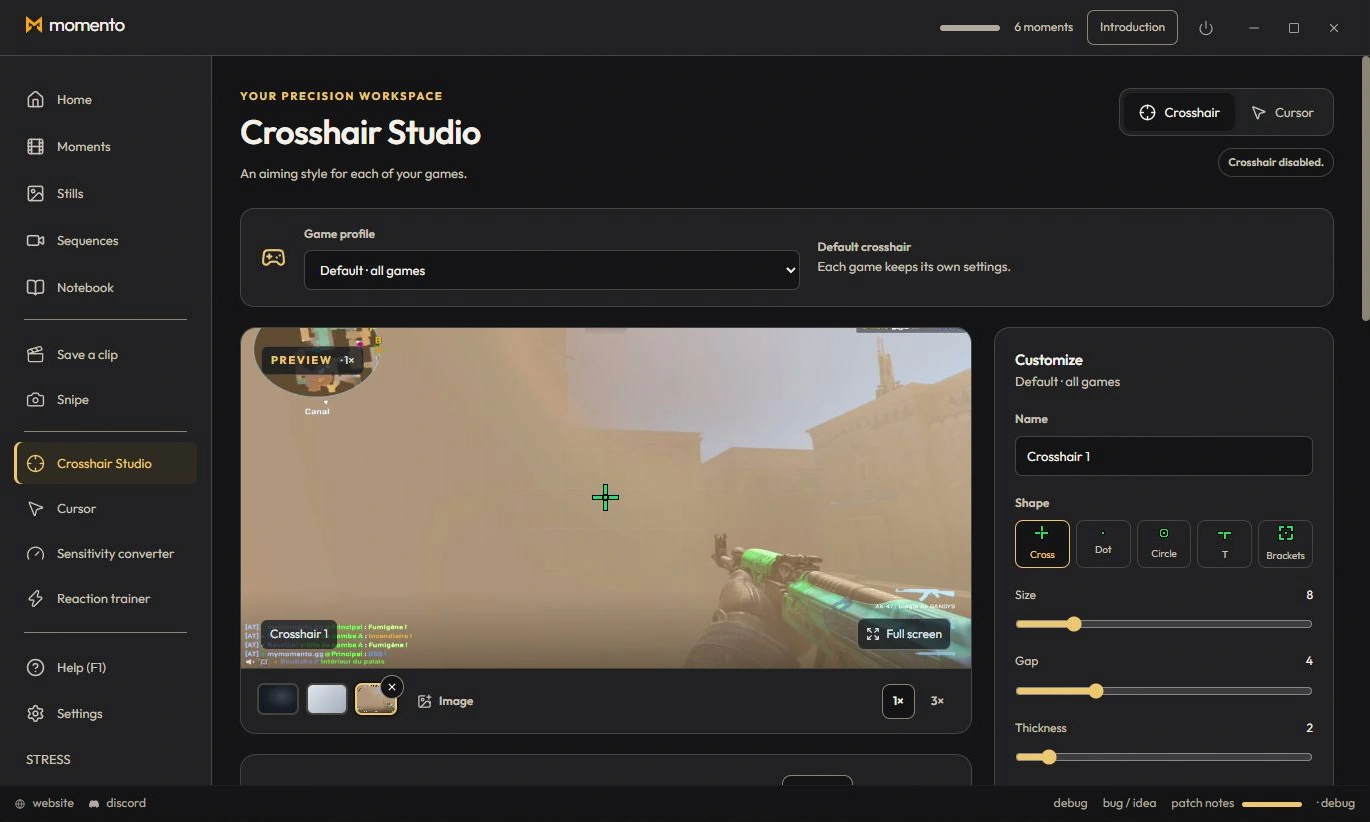
Crosshair Studio lets you design a crosshair and display it as a separate overlay in compatible games. Open it from the Tools sidebar; availability depends on the game and display mode.
Crosshair and clips in one app
Cursor Studio can use your Crosshair Studio design. Preview its size and mode before applying it as a Windows cursor.
Choose a Windows 11 gaming toolbox for your needs: crosshairs, gameplay clips, editing, screenshots, notes and sensitivity conversion in Momento.
Reuse a Crosshair Studio design in Cursor Studio. Preview its size, choose desktop or game mode, apply it and restore the normal Windows pointer in Momento.
Use Crosshair Studio and save gameplay clips in Momento, a Windows 11 gaming toolbox. Explore the workflow, local files, Microsoft Store download and paid access.