
Choose your PC gaming tools with Momento
Choose a Windows 11 gaming toolbox for your needs: crosshairs, gameplay clips, editing, screenshots, notes and sensitivity conversion in Momento.
Momento · Windows 11
Momento brings a custom crosshair overlay and gameplay clipping together on Windows 11. Prepare a reticle in Crosshair Studio, save the action with a shortcut, then find and edit your clips in the same application.
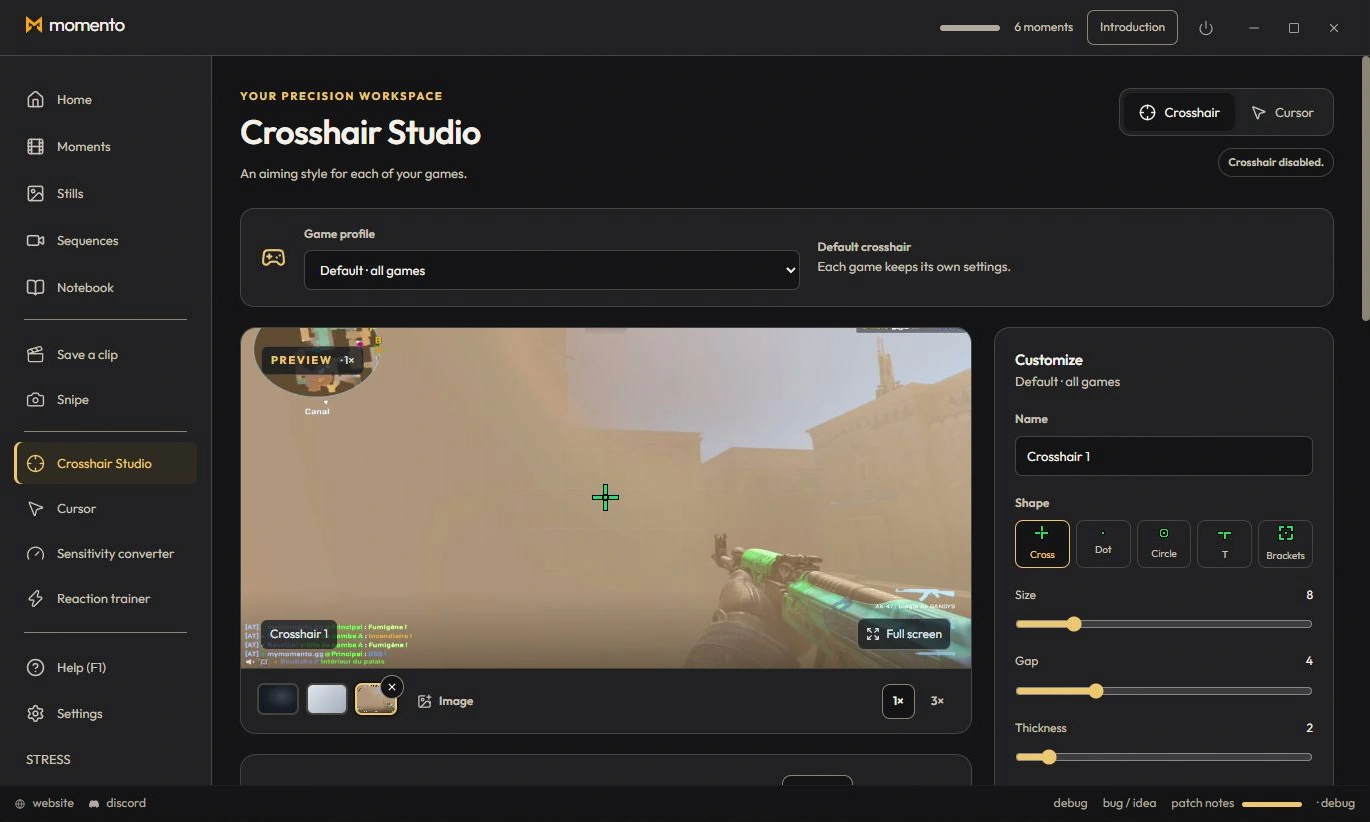
Choose a model, adjust its shape, size, colours and outline, and save profiles for different games. Crosshair Studio displays your design as a separate overlay in compatible games. You can also import and export supported game codes or a Momento code.
Read the Crosshair Studio guideWhile a compatible game is being captured, a rolling buffer keeps recent video in temporary files. Press Ctrl+F9, the default configurable shortcut, to save a clip. Find it in Moments, trim the sequence in the editor and export an MP4. Sharing a clip is your choice.
Read the capture guide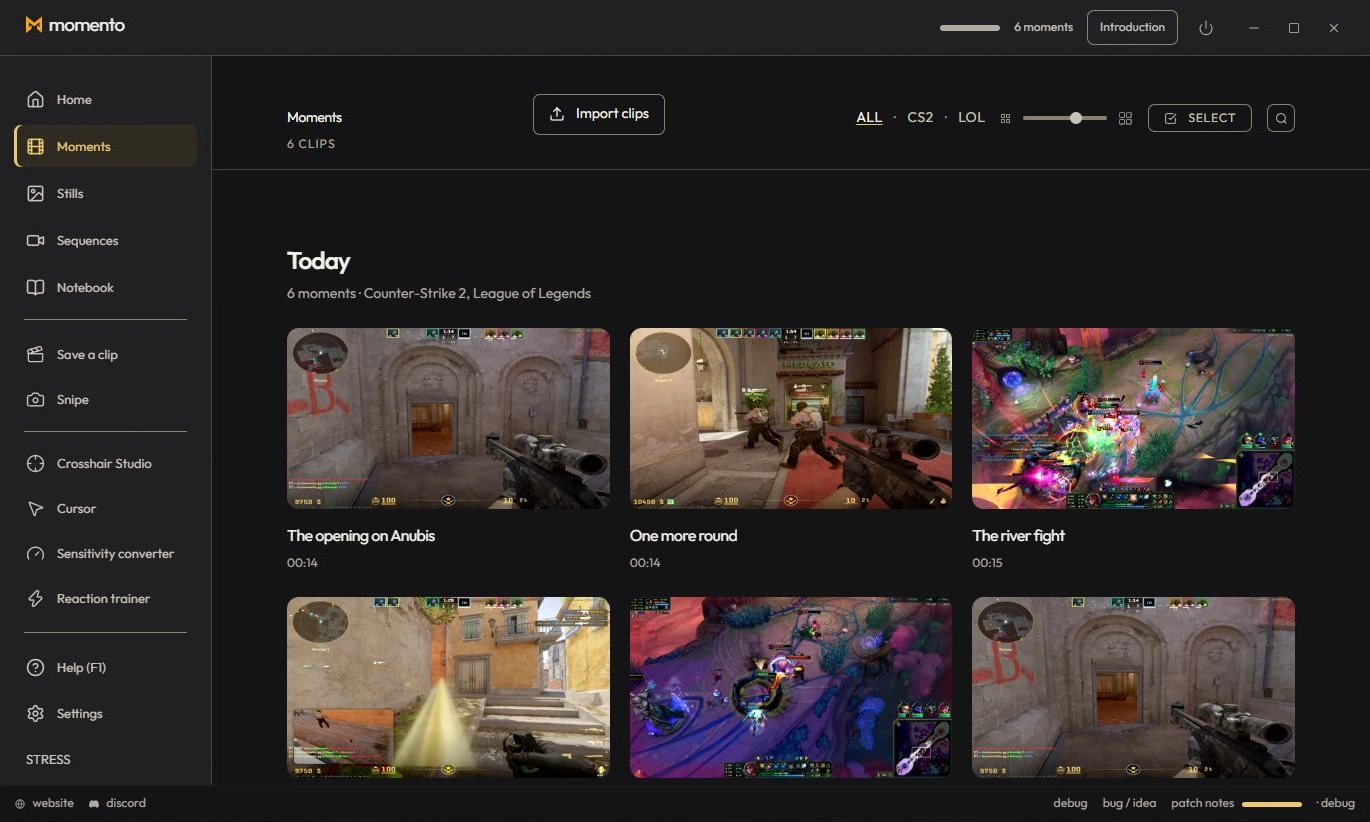
See the library and editor in the published Moments demonstration.
Watch the Moments demo on YouTubeMomento also includes long recordings, annotated screenshots called Instants, text recognition and translation on demand, Notebook, a sensitivity converter and cursor customisation. Use the tools that fit your game and your session.
Explore the full manualThe Microsoft Store download is free. Using Momento requires an account and a paid licence purchased inside the app. The founders offer is a one-time purchase for two personal PCs; the pricing page gives the current terms.
Availability depends on the game, display mode and PC configuration. The crosshair is a separate overlay; check the rules of your game or competition before using it. Capture uses Windows Graphics Capture without injecting into a game or reading its memory. This is not a guarantee of acceptance by every anti-cheat.
Capture uses GPU encoding when supported. The effect depends on your hardware, game and recording settings. Compare capture on and off on the same PC; there is no universal FPS result or measured performance comparison with other apps here.
Gameplay, Instants and notebooks stay on your PC unless you explicitly share them. Account, licensing and technical reports use online services. Local media does not mean the application never connects to the internet.
Choose a Windows 11 gaming toolbox for your needs: crosshairs, gameplay clips, editing, screenshots, notes and sensitivity conversion in Momento.
Replay a Moment, extract a frame as an Instant, annotate the image and pin your media in Notebook. Connect game clips, screenshots and notes in Momento.
Capture a text area with Snipe, open the Instant, check the recognised text and translate it locally on demand in Momento for Windows 11.
Record with REC, find the session in Sequences, trim it, adjust the available audio tracks and save a short MP4 or an optional silent GIF in Momento.
Reuse a Crosshair Studio design in Cursor Studio. Preview its size, choose desktop or game mode, apply it and restore the normal Windows pointer in Momento.