
Choose your PC gaming tools with Momento
Choose a Windows 11 gaming toolbox for your needs: crosshairs, gameplay clips, editing, screenshots, notes and sensitivity conversion in Momento.
Momento · Windows 11
Edit a single clip or REC: trim, cut, adjust speed and mix the available audio tracks. Save the edit as an MP4 in your Moments library.
Windows 11 · Account and purchase in the app
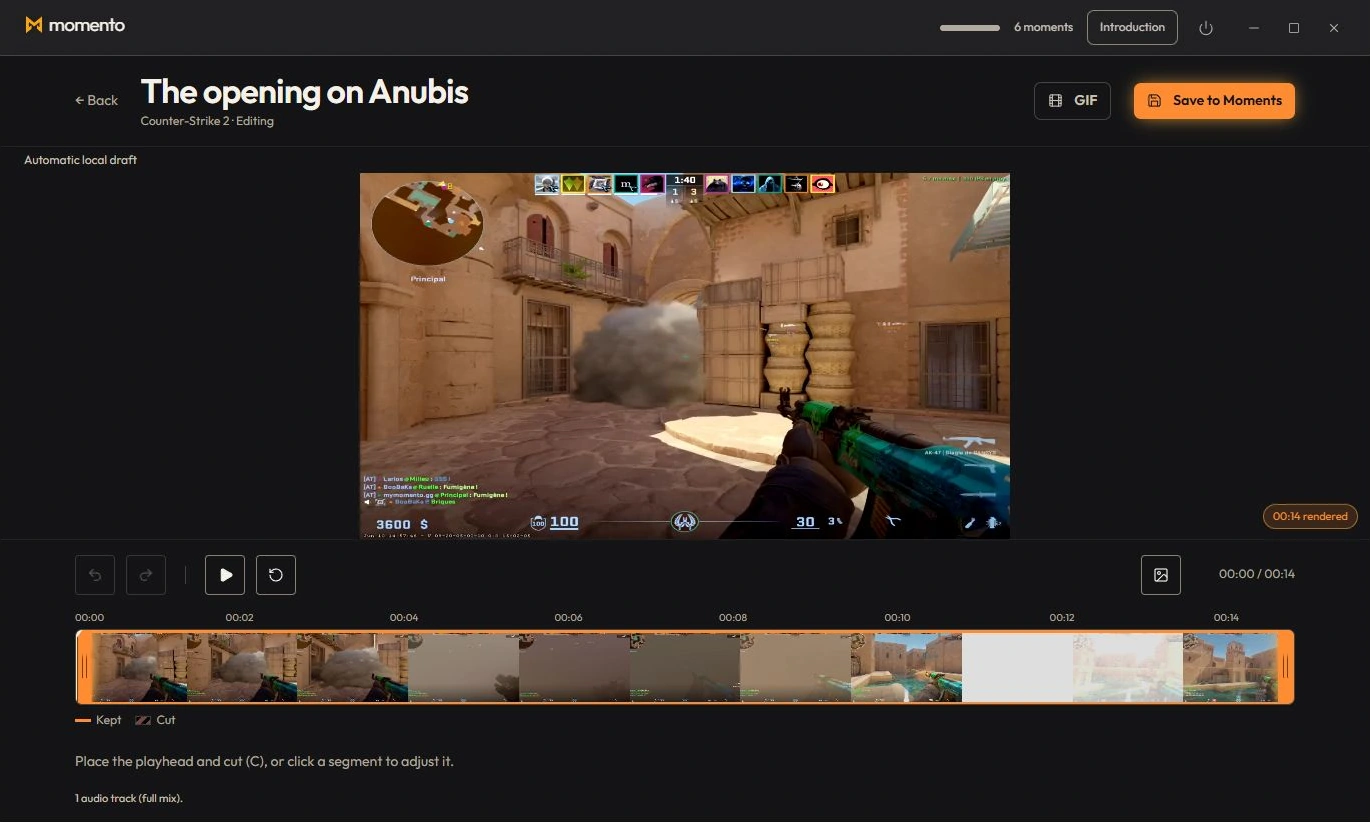
The mini-editor opens from a clip or from a recording.
It’s the same tool in both cases.
The editor works on a single clip: you keep or remove parts. It doesn’t stitch several videos together and has no timeline zoom.
There’s no quality/format choice or progress bar: on a long clip, the “Saving…” button may seem stuck for a moment — that’s normal.
Record a session, find it in Sequences and use the editor to keep a shorter Moment in your library.
Choose a range in the editor and export a GIF. Find the exported animation in Instants.
Choose a Windows 11 gaming toolbox for your needs: crosshairs, gameplay clips, editing, screenshots, notes and sensitivity conversion in Momento.
Record with REC, find the session in Sequences, trim it, adjust the available audio tracks and save a short MP4 or an optional silent GIF in Momento.