
From a game clip to an annotated Notebook
Replay a Moment, extract a frame as an Instant, annotate the image and pin your media in Notebook. Connect game clips, screenshots and notes in Momento.
Momento · Windows 11
Find, replay and organise your game clips with search, labels and custom covers. Extract a video frame as an Instant, then use the same media in the editor or Notebook.
Windows 11 · Account and purchase in the app
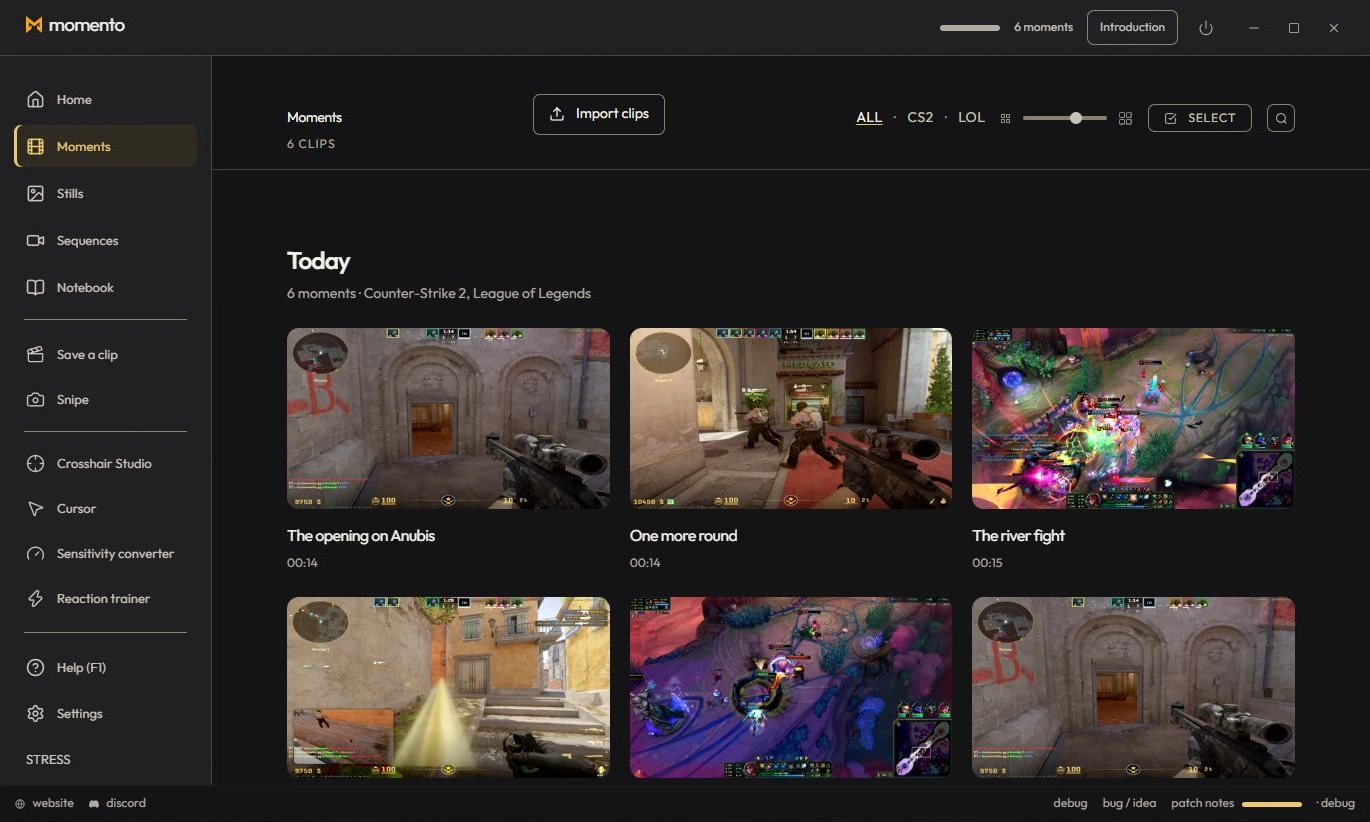
The Moments tab gathers all your clips, grouped by date. Hover a card to play it, rename it, share it, change its thumbnail, add tags, delete it or open it in the explorer. The zoom slider in the top right (or Ctrl + wheel / pinch on the grid) makes cards bigger or fits more per row. In the player, previous and next follow the filtered library and preserve playback speed. Ambilight extends the colours around the player without changing the video file.
The magnifier (or Ctrl+F) in the Moments header filters instantly. You can search by:
Tags are your own coloured keywords. Create your own (“to review”, “smurf”, “funny fail”…) and stick them on your clips AND your Stills. One shared vocabulary across both galleries: a tag created on a clip is instantly reusable on a screenshot.
You can replace a Moment's or a Sequence's thumbnail with any Instant from your gallery (edited or not) — handy for a cover that reads better than a random frame pulled from the video.
From a Moment or Sequence player, you can turn the shown frame into a new Instant (full-resolution, editable) — perfect to isolate a key moment, annotate it, or use it as a thumbnail.
Record a session, find it in Sequences and use the editor to keep a shorter Moment in your library.
Extract a frame from a Moment or Sequence as an Instant, edit it and use an image as a custom video cover.
Pin a Moment or Instant inside a note or on the freeform canvas to keep the media next to your explanation.
When a clip contains the required game events, KillCut can use that context to prepare kill segments. Availability depends on the game and data in the clip.
Replay a Moment, extract a frame as an Instant, annotate the image and pin your media in Notebook. Connect game clips, screenshots and notes in Momento.
Record with REC, find the session in Sequences, trim it, adjust the available audio tracks and save a short MP4 or an optional silent GIF in Momento.